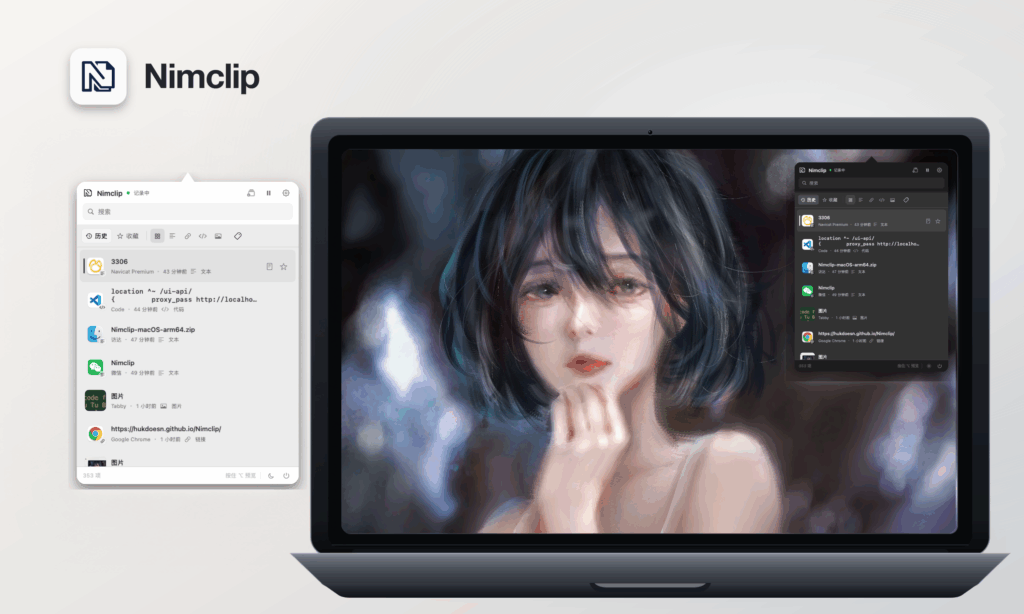
Nimclip is a free, open-source, native macOS clipboard history tool developed using Swift, SwiftUI, and SwiftData, and permanently located in the menu bar. Use keyboard shortcuts to find, organize, and paste previously copied content.
Features:
- History for text, links, code, images, and rich text, including source app names and icons
- Automatic classification of links and common code, with filters for all content, text, links, code, and images
- Search across text, recognized image text, source app names, and tags
- Favorites plus create, rename, delete, color-code, and filter by tags
- Preservation of rich-text formatting and images, with optional plain-text copy and paste
- Ordered multi-item text collection for a single copy or paste
- Image thumbnails, full image previews, and scrollable long-text previews
- Repeated copies refresh the existing item and move it to the top instead of creating duplicates
- Customizable global shortcut, history limit, retention period, and launch at login; the oldest non-favorites are deleted automatically at the limit, while favorites do not count toward it
- Pause and resume clipboard recording
- Independent light and dark appearances
- Instant in-app switching between Simplified Chinese and English
- Automatic GitHub Releases update checks after launch and while the app is running